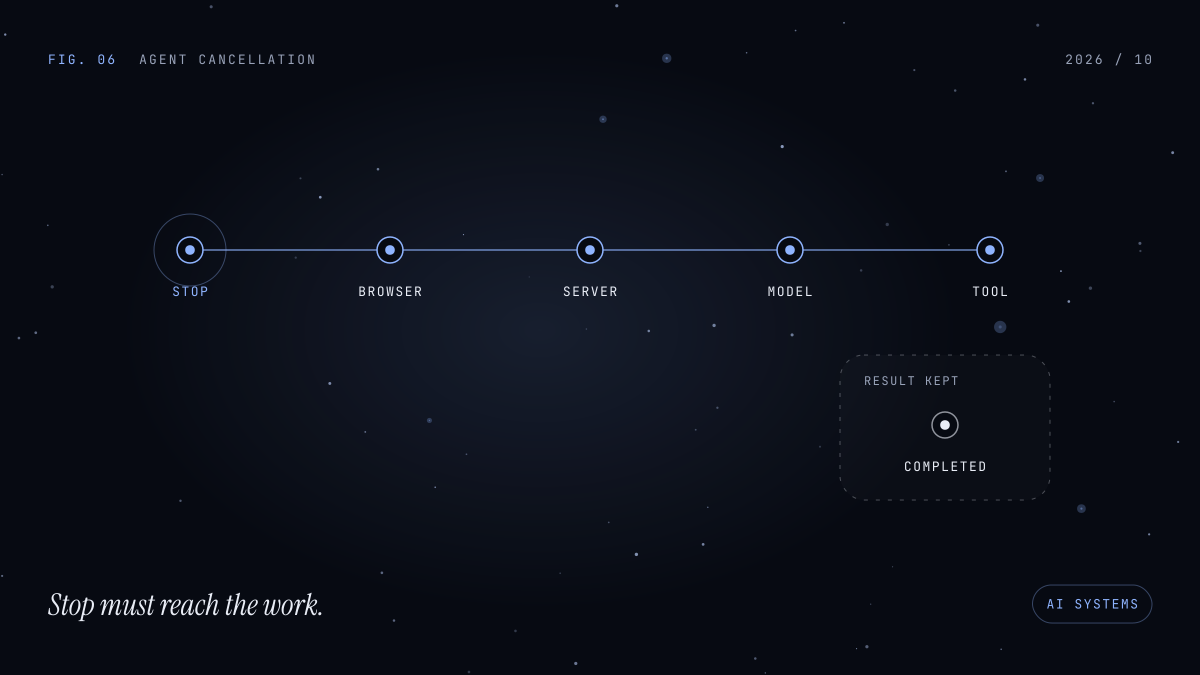
You click Stop. The answer stops appearing. Somewhere behind the interface, a model request, a search, or a tool may still be running.
On October 7, 2026, Vercel released AI SDK [email protected] with a fix that rejects pending result promises and cancels a pending stream when an abort signal fires. It is a small release note with a useful implication: cancellation includes the work waiting behind the visible output. AI SDK release
For developers building agents, this is a good moment to inspect the whole path from the Stop button to the operation it is supposed to interrupt. Upgrading a dependency can fix SDK behavior. Your application still has to decide what stopping means.
Follow the signal beyond the browser
The AI SDK documentation separates client cancellation from server cancellation. Its UI stop() helper aborts the client’s HTTP request. Stopping the model request also requires the server runtime to propagate the disconnect to the request’s AbortSignal, and the route to forward that signal into the SDK call. Stopping streams
That gives you three boundaries to inspect:
- Does the browser abort its request?
- Does the deployed runtime expose that event to the handler?
- Does the handler pass it to the model operation?
A missing connection at any boundary changes what the button achieves.
Start with a deliberately slow, harmless response. Stop it halfway through and compare the browser event with server logs. Give the run one identifier so you can follow it across both sides. A frozen text area proves only that the interface stopped changing.
Treat provider-side processing and final usage as separate questions. A client abort is insufficient evidence for a promise that all remote computation or billing stops immediately.
Deployment changes the answer
Cancellation behavior depends on where your code runs.
Vercel’s current Functions documentation says request cancellation is available in the Node.js runtime and is opt-in through supportsCancellation. With it enabled, a client disconnect fires request.signal and the function can be terminated. Work that must finish needs the platform’s lifetime mechanisms, such as waitUntil or after. Vercel cancellation reference
For an illustrative Next.js route, configuration might include:
{
  "functions": {
    "app/api/chat/route.ts": {
      "supportsCancellation": true
    }
  }
}
This example assumes that route path and a supported runtime. It is not a configuration to copy across every endpoint.
Enabling termination can expose unfinished cleanup. Before changing the setting, identify the small amount of bookkeeping that must survive a disconnect. Keep it bounded and use the platform’s documented mechanism.
Verify the behavior after deployment. A local server cannot establish how a hosting platform handles disconnected requests.
Tools need to participate
An agent can stop asking the model for another step while its current tool continues working.
AI SDK documents that generateText and streamText forward abort signals to tool execution options. The tool implementation must use the signal when calling an operation that supports it. Tool execution signals
Here is an illustrative tool callback fragment:
execute: async ({ query }, { abortSignal }) => {
  abortSignal?.throwIfAborted()

  const response = await fetch(
    "https://search.example/query",
    {
      method: "POST",
      body: JSON.stringify({ query }),
      signal: abortSignal
    }
  )

  return response.json()
}
The endpoint is fictional; the example shows signal propagation, not a complete tool definition.
The Web API contract matters here. Abort-aware promise APIs should reject unsettled promises when the signal aborts. throwIfAborted() checks whether cancellation has already happened. A signal provides notification; code and APIs need to respond to it. AbortSignal reference
For other tools, inspect the actual client library. A database driver, subprocess wrapper, or remote job service may require its own cancellation method. Record unsupported operations explicitly rather than assuming every dependency behaves like fetch.
Decide what happens to completed actions
Consider an illustrative agent that searches documents, creates a ticket, and then writes an explanation. The user presses Stop after the ticket service accepted the creation request but before the explanation appears.
The product now needs to represent two facts: generation was interrupted, and a ticket may already exist.
My design recommendation is to track action outcomes separately from response status. Cancellation should prevent further steps where possible, while preserving confirmed results from steps that already completed. Where an external outcome is uncertain, reconcile it before offering to repeat the action.
For example, a run could show “Response stopped” alongside “Ticket created” and its link. If confirmation is missing, it could show “Ticket creation outcome unknown” and offer a status check.
These are proposed interface behaviors, not SDK guarantees.
That distinction also changes retry design. Restarting the entire conversation can repeat an action. A tool that creates something should have an application-level strategy for detecting an existing result or safely repeating the request. A Stop button cannot supply that strategy.
Choose between disconnect cancellation and durable runs
A browser disconnect can mean an intentional stop, a closed tab, or a lost connection. Your product should decide whether those events have the same consequence.
The AI SDK currently documents that its stream abort functionality is incompatible with stream resumption through resume: true. That limitation should influence the architecture before resumability becomes a product promise. Abort and resumption
For a short interactive answer, tying the run to the request may be appropriate. For a long task that should survive a lost connection, I would give the run a durable identity and make explicit cancellation a separate command.
That adds state, ownership checks, and coordination. In return, closing a tab no longer has to mean abandoning the work. Choose based on the intended experience.
Test the moment after Stop
The most revealing tests target different moments: before output begins, during streaming, inside a slow tool, and after an external action succeeds.
For each case, inspect whether pending operations settle, whether another step starts, and what the user sees afterward. Include an ordinary disconnect as well as an explicit Stop.
The October 7 patch is a reminder to check cancellation paths when upgrading. The useful acceptance criterion is concrete: after Stop, you can explain which work ended, which results remain, and which outcomes still need checking.